> ## Documentation Index
> Fetch the complete documentation index at: https://docs.brewit.ai/llms.txt
> Use this file to discover all available pages before exploring further.
# Evaluation
> Evaluate text-to-SQL on your db to ensure accurate query generation.
## Overview
Evaluation feature allows you to evaluate the text-to-SQL model against your database to ensure accurate query generation and answers.
This feature is useful for verifying the model's performance and identifying areas for improvement.
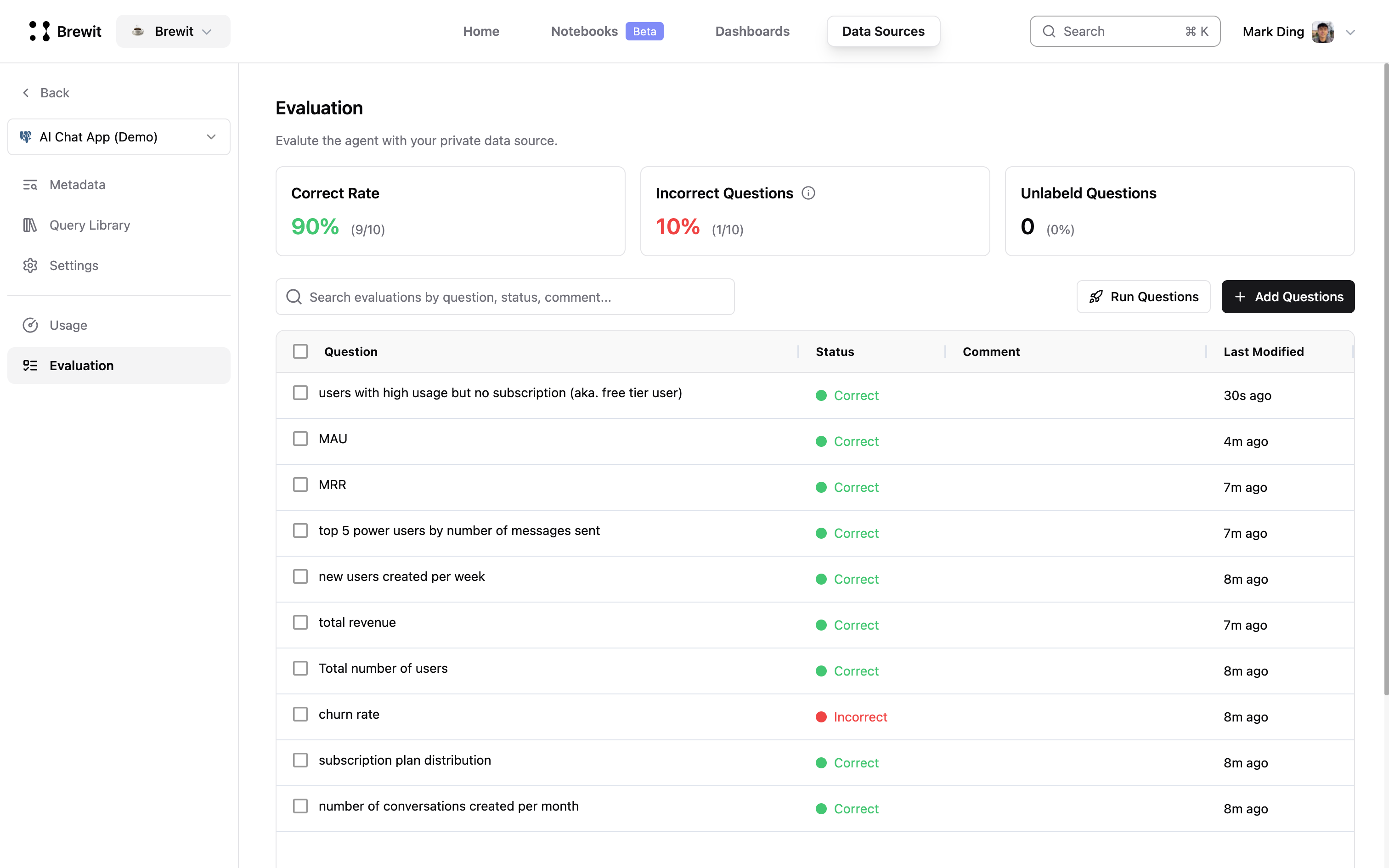 ## Evaluate text-to-SQL against your database
There are 2 ways to create test questions:
* **Manual**: Manually create test questions by typing them in the input field.
* **Upload CSV**: Upload a CSV file containing test questions.
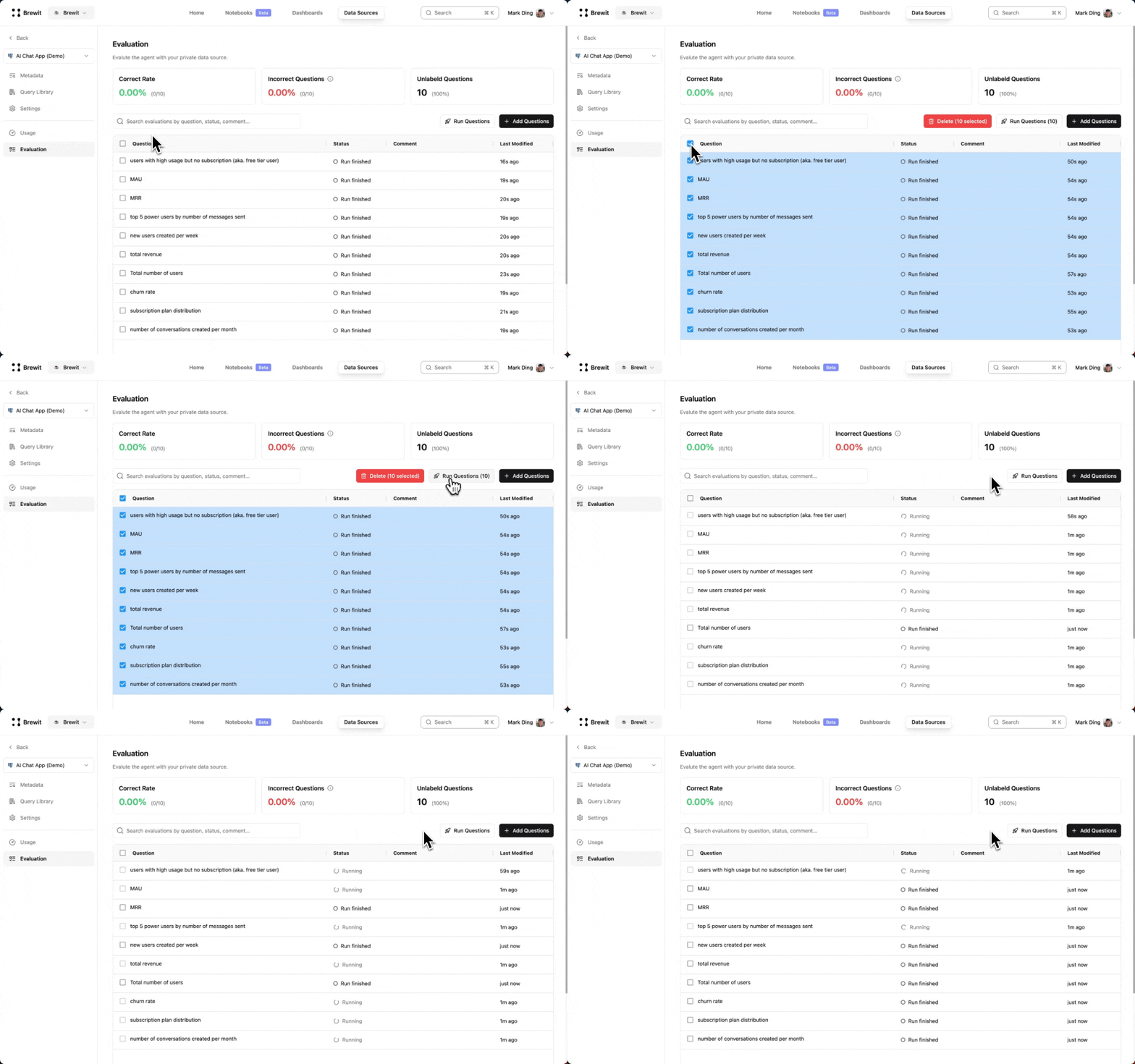
Select the test questions you want to evaluate and run them against your database.
## Evaluate text-to-SQL against your database
There are 2 ways to create test questions:
* **Manual**: Manually create test questions by typing them in the input field.
* **Upload CSV**: Upload a CSV file containing test questions.
Select the test questions you want to evaluate and run them against your database.
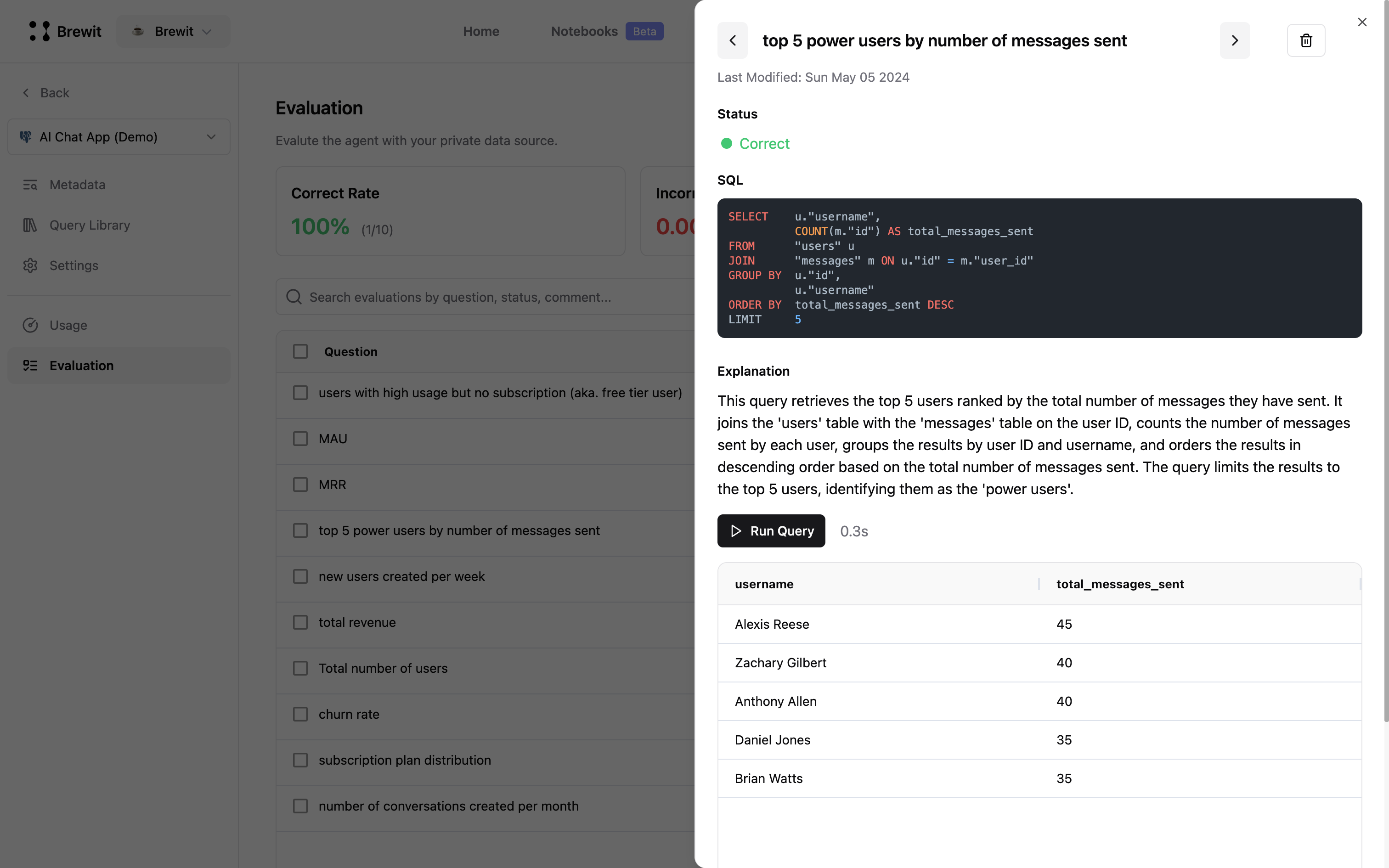
 Verify the generated SQL queries and answers to ensure they are accurate.
 ## FAQs
### How do I correct an incorrect query?
If the generated SQL query is incorrect, here are some steps you can take:
* **Add correct query into [Query Library](/docs/data-agent/train/query-library)**: Save the correct query in the Query Library for future reference.
* **Enrich data catalog**: Add missing information to the data catalog to help the model generate accurate queries.
* **Storing distinct values**: Use the [Distinct Values](/docs/data-agent/train/distinct-values) feature to store unique string values of a column.
### Can I evaluate multiple questions at once?
Yes, you can evaluate multiple questions at once by selecting them and running the evaluation.
## FAQs
### How do I correct an incorrect query?
If the generated SQL query is incorrect, here are some steps you can take:
* **Add correct query into [Query Library](/docs/data-agent/train/query-library)**: Save the correct query in the Query Library for future reference.
* **Enrich data catalog**: Add missing information to the data catalog to help the model generate accurate queries.
* **Storing distinct values**: Use the [Distinct Values](/docs/data-agent/train/distinct-values) feature to store unique string values of a column.
### Can I evaluate multiple questions at once?
Yes, you can evaluate multiple questions at once by selecting them and running the evaluation.