> ## Documentation Index
> Fetch the complete documentation index at: https://docs.brewit.ai/llms.txt
> Use this file to discover all available pages before exploring further.
# Data catalog
> Explore the essentials of metadata in your datasets, including table and column names.
**Navigate Your Data** Grasping your metadata is key to effectively utilizing
your datasets. Learn how to identify and use table and column names(or
descriptions) for insightful data analysis.
## Introduction to Metadata
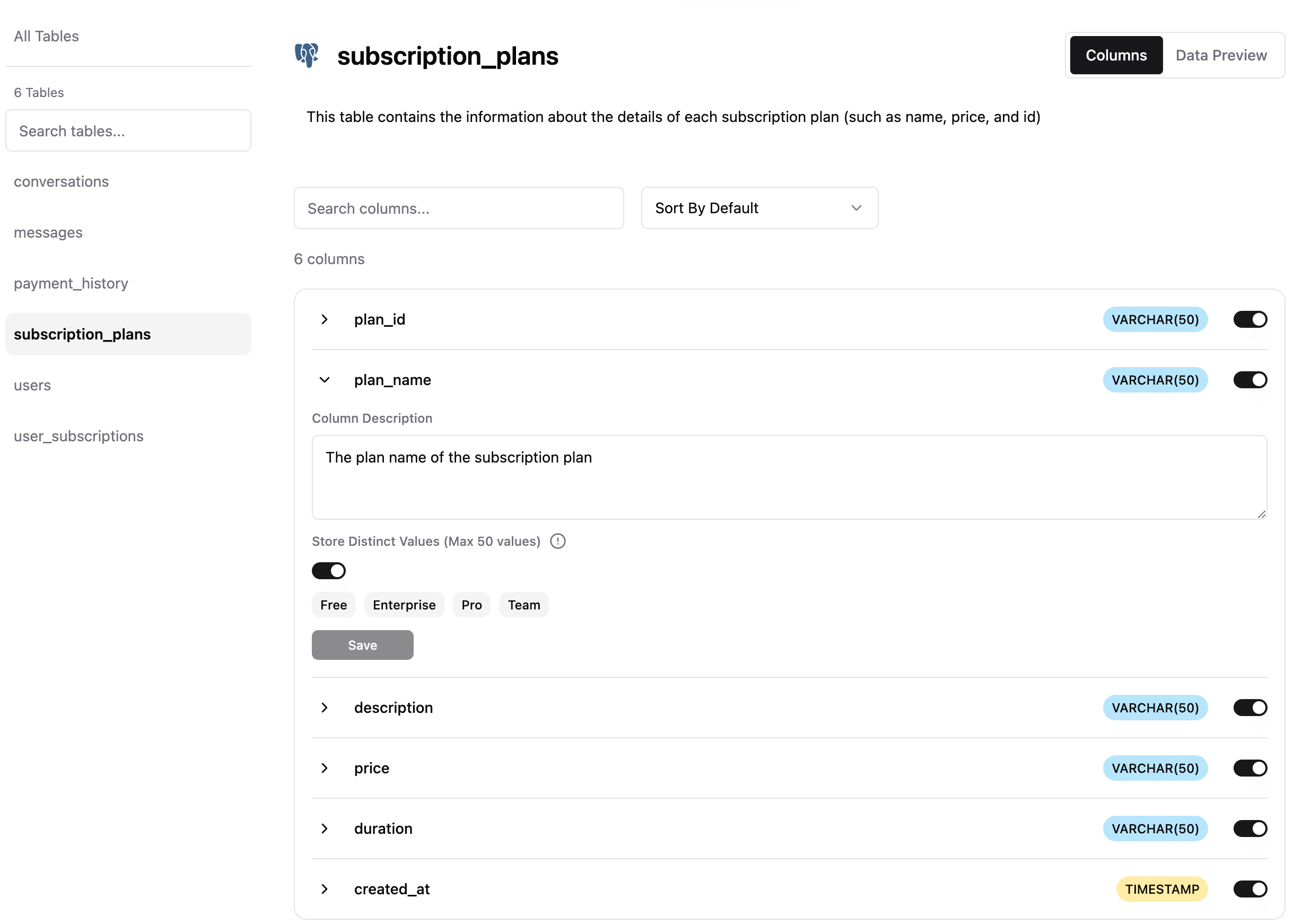
Metadata provides critical information about your data, acting as a roadmap for understanding and analyzing your datasets. It includes details like table names, column names, data types, and descriptions among tables.
 ### Table Metadata
Each table is listed with its name, allowing you to quickly identify the
data points available for analysis.
For each table, you can explore the description, which provides a
briefoverview of the data contained within the table.
You can also check the visibility of each table, which helps in
understanding the access level of each table.
### Column Metadata
Each column is listed with its name, allowing you to quickly identify the
data points available for analysis.
For each column, you can explore the description, which provides a brief
overview of the data contained within the column.
You can also check the data type of each column, which helps in
understanding the nature of the data contained within the column.
You can also check the visibility of each column, which helps in
understanding the access level of each column.
## Data Preview
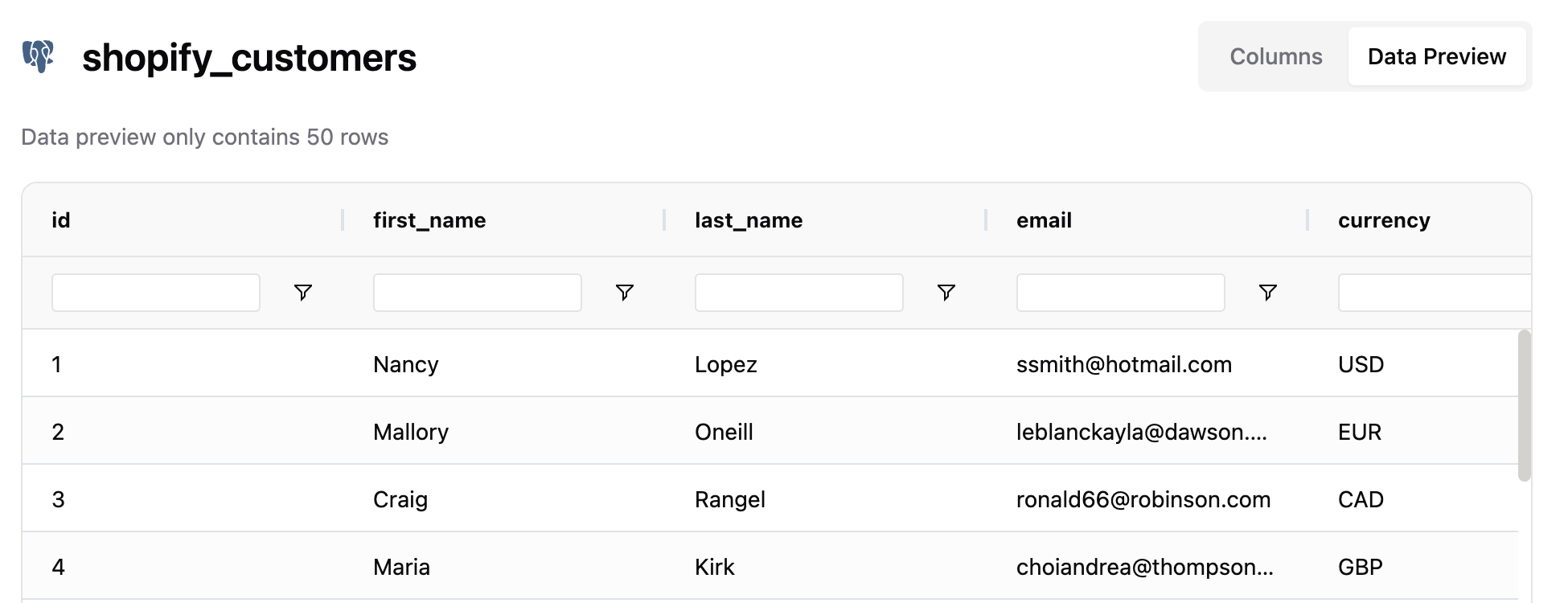
Data preview only contains 50 rows
### Table Metadata
Each table is listed with its name, allowing you to quickly identify the
data points available for analysis.
For each table, you can explore the description, which provides a
briefoverview of the data contained within the table.
You can also check the visibility of each table, which helps in
understanding the access level of each table.
### Column Metadata
Each column is listed with its name, allowing you to quickly identify the
data points available for analysis.
For each column, you can explore the description, which provides a brief
overview of the data contained within the column.
You can also check the data type of each column, which helps in
understanding the nature of the data contained within the column.
You can also check the visibility of each column, which helps in
understanding the access level of each column.
## Data Preview
Data preview only contains 50 rows