> ## Documentation Index
> Fetch the complete documentation index at: https://docs.brewit.ai/llms.txt
> Use this file to discover all available pages before exploring further.
# Usage & Billing
> Learn how to monitor your workspace usage and manage billing information.
**Billing Overview** Gain insight into how billing works for your account,
including monitoring usage and updating payment methods.
## Monitoring Workspace Usage
Understand how your workspace consumes resources and ensure your team operates within the limits of your selected plan.
Navigate to [Analytics](https://app.brewit.ai/settings/analytics) to see an
overview of your current usage, including data storage, compute hours, and
other resources.
Review the limits associated with your current plan. You can find detailed
information about plan limits on our [pricing
page](https://brewit.ai/pricing).
 ## Managing Billing Information
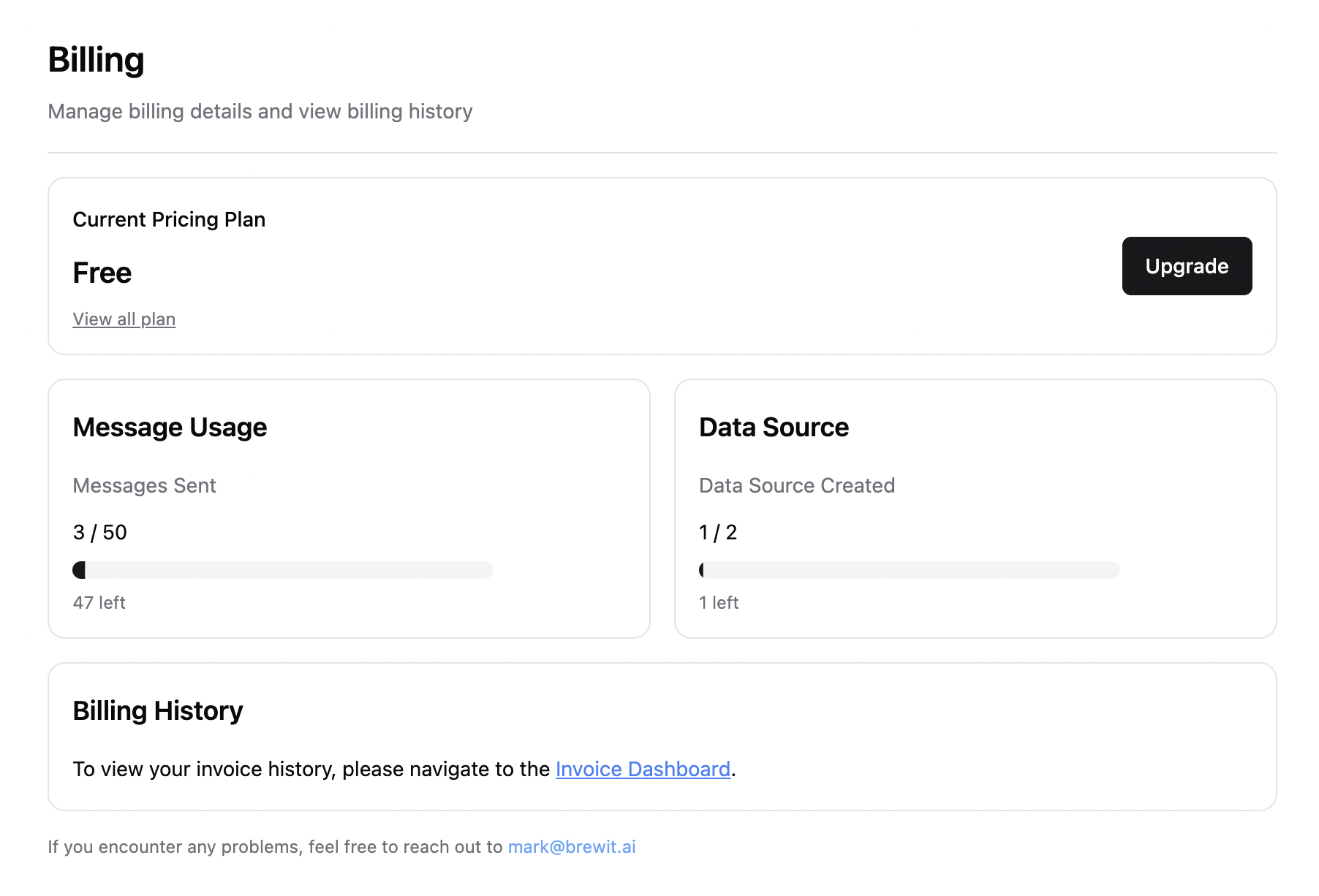
Easily update your payment method, view past invoices, and change your subscription plan from within your account settings.
Go to [Billing](https://app.brewit.ai/settings/billing) to add or update
your payment method. We support a variety of payment options (all payments
that Stripe supports!)
Access all your past invoices for record-keeping and accounting purposes by
navigating to the Billing section of your settings.{" "}
## Managing Billing Information
Easily update your payment method, view past invoices, and change your subscription plan from within your account settings.
Go to [Billing](https://app.brewit.ai/settings/billing) to add or update
your payment method. We support a variety of payment options (all payments
that Stripe supports!)
Access all your past invoices for record-keeping and accounting purposes by
navigating to the Billing section of your settings.{" "}
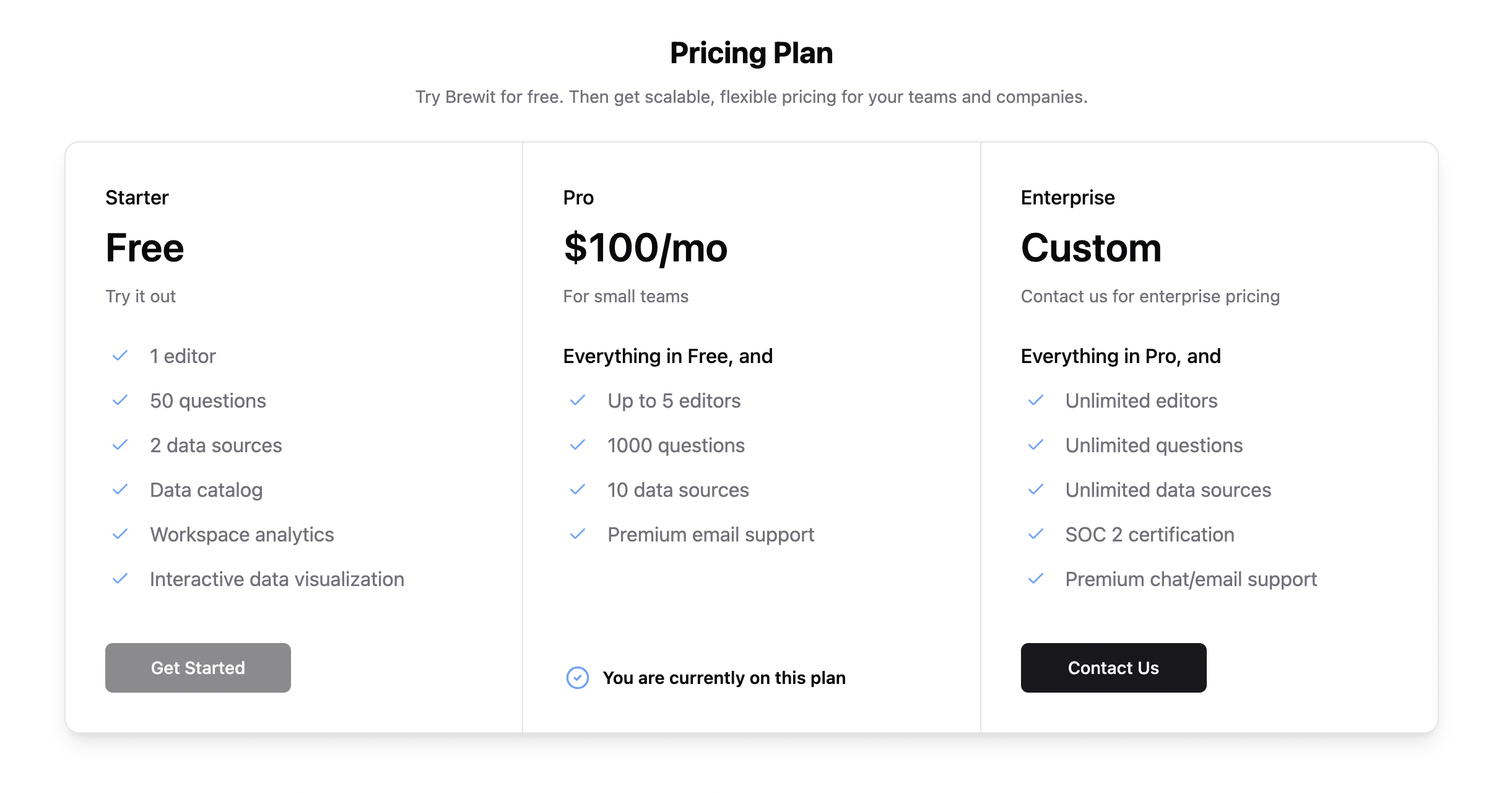
 Considering an upgrade or need to adjust your plan? Visit our
[Pricing](https://brewit.ai/pricing) page to compare options and select the
plan that best suits your team's needs.
Considering an upgrade or need to adjust your plan? Visit our
[Pricing](https://brewit.ai/pricing) page to compare options and select the
plan that best suits your team's needs.
 ## FAQs
If you exceed your plan's limits, you'll receive notifications with the
option to upgrade your plan or manage your usage to fit within the limits.
Continued excessive use may lead to temporary limitations on resource
consumption.
Billing cycles are monthly or annually, depending on the plan you've chosen.
You can review your billing cycle and upcoming charges in the Billing
section of your account settings.
Yes, you can cancel your subscription at any time. However, we recommend
contacting our support team at [leo@brewit.ai](mailto:leo@brewit.ai) to
discuss your options and ensure a smooth transition.
## FAQs
If you exceed your plan's limits, you'll receive notifications with the
option to upgrade your plan or manage your usage to fit within the limits.
Continued excessive use may lead to temporary limitations on resource
consumption.
Billing cycles are monthly or annually, depending on the plan you've chosen.
You can review your billing cycle and upcoming charges in the Billing
section of your account settings.
Yes, you can cancel your subscription at any time. However, we recommend
contacting our support team at [leo@brewit.ai](mailto:leo@brewit.ai) to
discuss your options and ensure a smooth transition.